
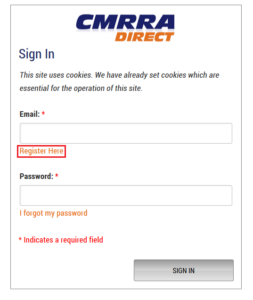
1. Go to: http://cmrradirect.cmrra.ca/. On the Sign In page, select Register Here.
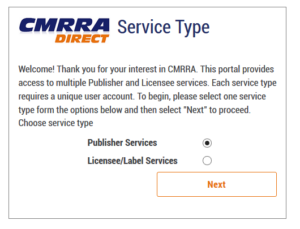
2. The Service Type menu will appear with the default value of “Publisher Services” already selected for your convenience. Click “Next.”
3. Once you have indicated your registration reason(s), select “Next” to be redirected to the Register Here page where you will be asked to provide the mandatory information required to access CMRRA Direct services. Enter your identifying information on the left-hand side of the page first.
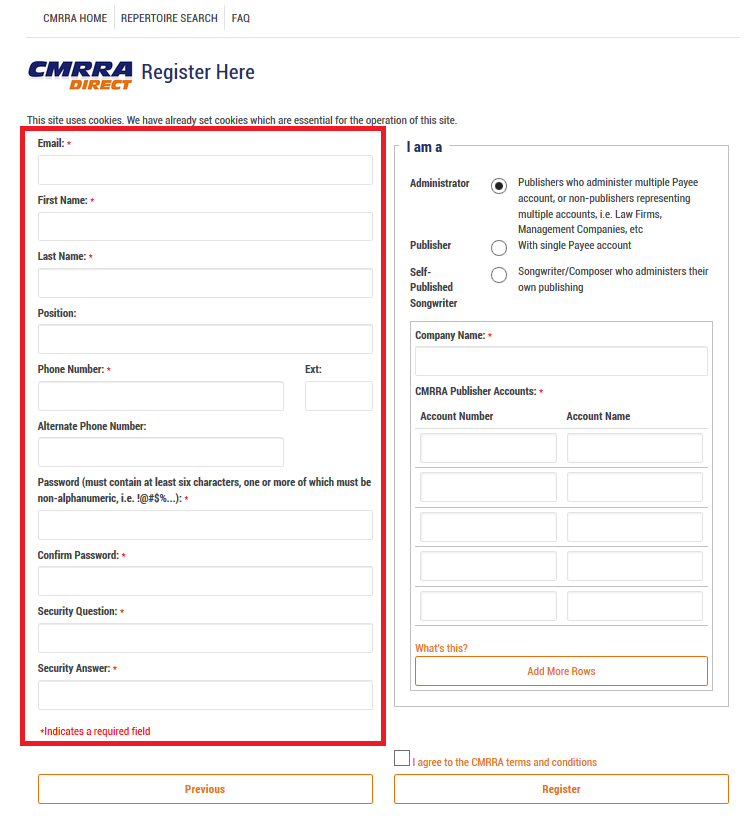
Please note: Passwords must be at least 6 characters long and contain one or more non-alphanumeric characters, e.g. @ # $ %. For the Security Question & Answer, please select a question of your choosing and the corresponding answer. The security question will aide in the password recovery process, if required.
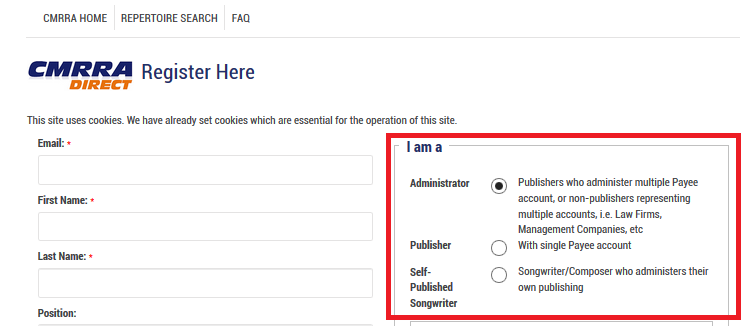
4. Next, on the upper right-hand side of the page, please identify yourself within the following categories of rightsholders and complete the associated required fields to submit your registration request.
5. Finally, click on the “I agree to the CMRRA terms and conditions” text to read the CMRRA Direct Terms of Use. Click the checkbox to confirm your agreement, and the click the Register button to submit your CMRRA Direct account request.
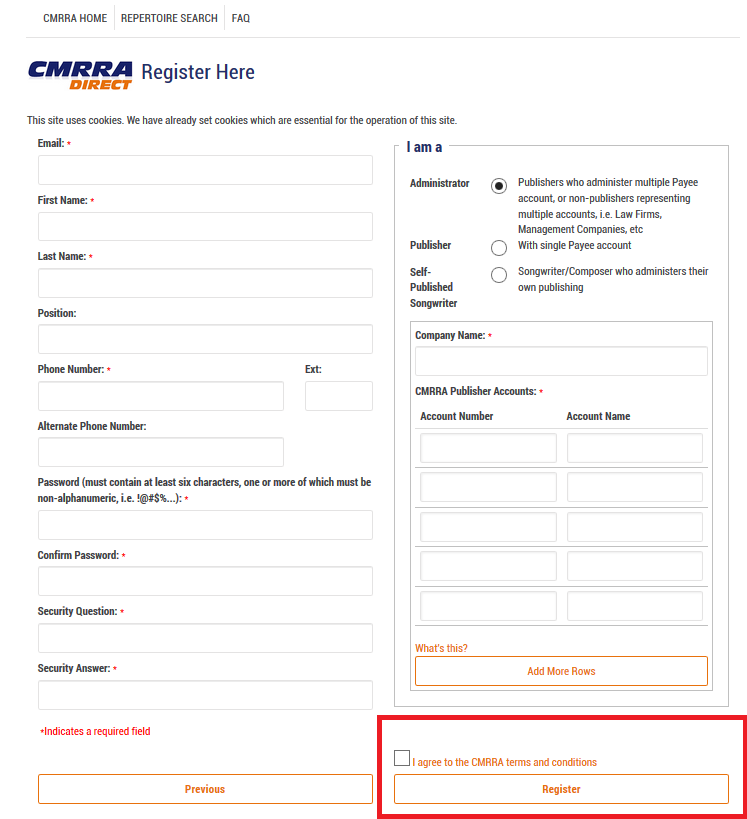
PLEASE NOTE: If there are any issues, you will see descriptive text in red on the bottom left side of the page indicating the outstanding requirements; otherwise, you will see a message indicating that the registration request was sent for approval. Please allow 2-5 business days for a response. You will receive a confirmation email once your CMRRA Direct account has been activated.